Writing
Building a homelab Kubernetes cluster
The origin story behind my scrappy homelab Kubernetes cluster.
In this article series
3 articles- 01 Building a homelab Kubernetes cluster Current
- 02 A self-tuning homelab
- 03 How I access the services I self-host in my cluster
I have self-hosted things before, but none of it really stuck. A Raspberry Pi 4 ran Pi-hole for a while. Then an old laptop ran Plex for a while after that. Both were useful in the loose way side projects are useful. Something would break, I’d shrug, it would fizzle out, and I’d move on.
This time I wanted something more serious, though still small and with room to grow in whatever direction I felt like. It would be a testing ground for whatever I wanted to learn. I’d GitOps it too. If I added a service, changed storage, or touched DNS, that change should live somewhere more durable than a vague memory of what I typed into a terminal. I didn’t need a rack or enterprise gear, only a small cluster for the services I actually use, with enough Kubernetes underneath to learn something while running it.
I named the project rangoonpulse because Rangoon is my hometown, and I liked pointing the cluster back there. It made the whole thing feel less like a random pile of YAML and more like something that was mine.
The starting point
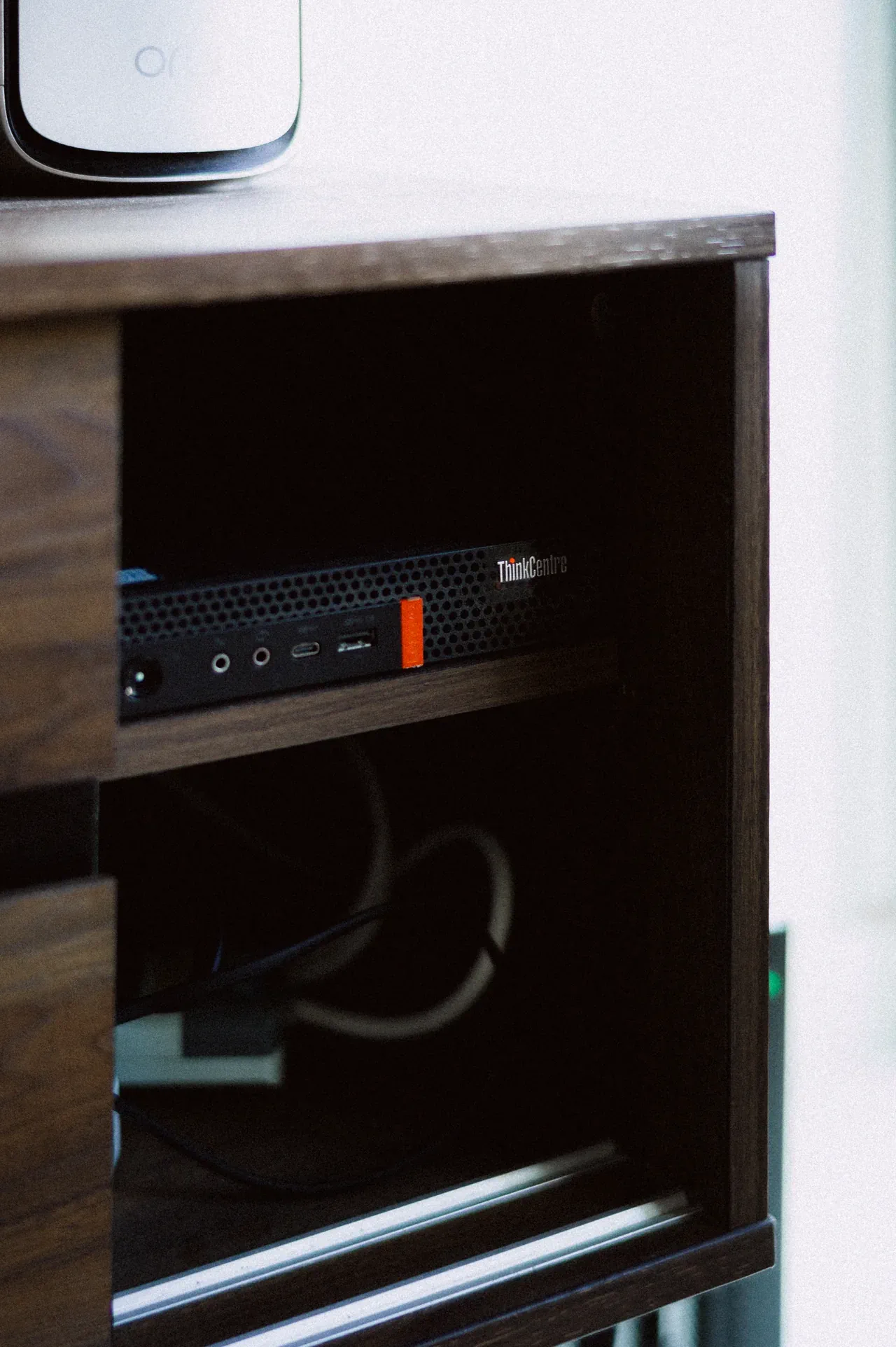
After watching the secondhand market for a while, I came across a Lenovo m720q miniPC for SGD 200. That was the point where the plan stopped being a vague “one day.”
I already had a Raspberry Pi 4 lying around, and a QNAP T6 NAS on the network that I use mostly for photography RAW files and bulk storage. The miniPC took the main role, running as both control plane and worker for now, with a plan to add more nodes later and split those roles out properly. The Pi slotted in beside it as a small utility node. The NAS handled media and the large persistent volumes.
Spec-wise, the m720q is the only piece of hardware worth listing in any detail. It has an Intel i5-8400T, 32GB RAM, NVMe, and an Intel iGPU that turned out really handy for Jellyfin transcoding.
I also wanted to be honest with myself about budget from the start. Use what I already had, buy cheap when I had to, and keep recurring spend near zero.
Why Kubernetes and Talos?
Proxmox would have been the obvious answer. A couple of VMs, Docker inside them, snapshots when I need them, a web UI for the boring bits. Hell, Docker Compose would have been simpler still. For five or six apps, a compose.yaml with Caddy out front would have done the job before dinner.
I picked Kubernetes because I wanted more hands-on time with it. At work I touch Kubernetes often enough to look at pods, check events and logs, tweak HPA or KEDA settings, and reason about how services behave in a cluster. Owning the whole thing end to end is different. Running it at home means I also have to deal with ingress, DNS, certs, secrets, storage, monitoring, and rollouts. There’s a lot to learn, and I want a more concrete sense of how the pieces actually fit together.
Kubernetes also gives me room to grow without changing the model. The cluster started with one mini PC and a Pi. Add another node later and Kubernetes already has a language for it. With a single Docker host, I know myself well enough to know I’d eventually start inventing a worse version of this anyway.
Minimalism still mattered, though. My compute is small, and the last thing I wanted was Proxmox, VMs, guest OSes, and Docker all stacked on a tiny box that already doesn’t have much to give. So I went with Talos Linux instead of something like k3s. k3s is lean, but it still needs a general-purpose host OS underneath. Talos is lean all the way down. It is API-driven, immutable, and it runs nothing it doesn’t need to.
GitOps from day one
Everything lives in Git and gets reconciled by Flux, with HelmRelease manifests as the unit of change. Secrets are encrypted with SOPS and age.
For most apps I use the bjw-s app-template Helm chart. It standardizes the repetitive parts like container, service, ingress, environment variables, and PVCs. No writing the same boilerplate twenty different ways. The template provides the frame, and the app-specific details stay in values.yaml. When a dedicated chart fits better, I use that instead.
Over-engineered on purpose
This is a tad over-engineered for a homelab. That’s kind of the point.
GitOps with Flux means every change starts in Git. No ad-hoc manual kubectl apply. Every manifest, every HelmRelease, every Kustomize overlay lives in a repo, gets committed, and gets reconciled automatically. If the cluster state drifts, Flux pulls it back. If I break something or want to roll back, I git revert. The cluster state is, in effect, a git log.
Secrets run through SOPS. Values are encrypted at rest in the repo with age keys, committed safely alongside everything else, and decrypted at apply time by the cluster. VPN keys, API tokens, service passwords, TLS private keys, all of it goes through the same pipeline.
For monitoring, Prometheus and Grafana give me dashboards for most of what happens in the cluster. I can see at a glance whether a node is under pressure or a workload is eating more than expected. Uptime checks and a few minimal alerts run through Uptime Kuma and Alertmanager.
What runs here
What I’m self-hosting
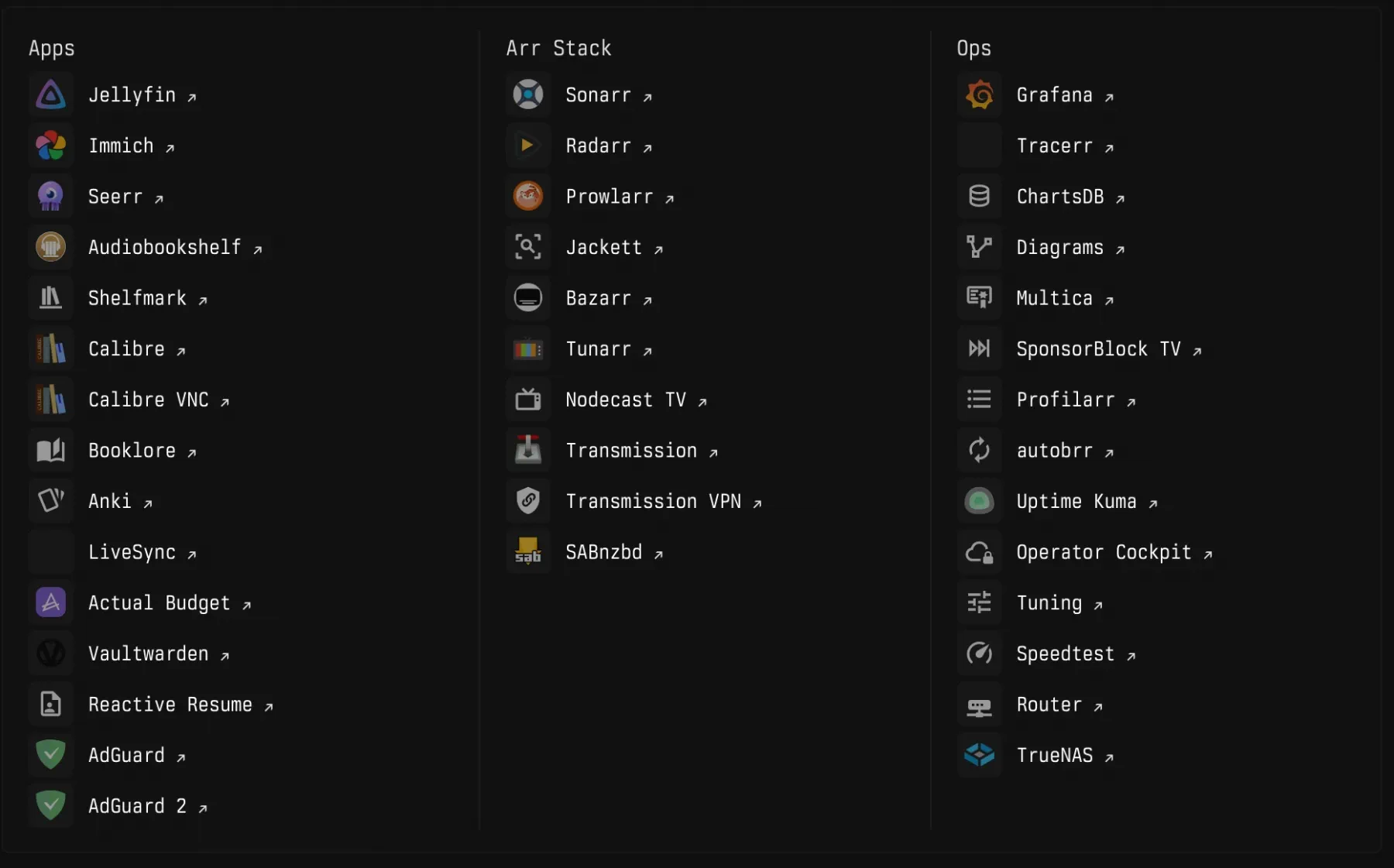
Media takes the most space. Jellyfin for streaming, Seerr for requests, and the usual *arr stack with Sonarr, Radarr, Prowlarr, Bazarr, Autobrr, Profilarr, plus a download client or two. The miniPC handles transcoding, so everything plays without hiccups. Immich covers photos, AdGuard does DNS adblocking, and Tunarr handles IPTV.
A few personal tools too, including Vaultwarden for passwords and Actual Budget for money. For books I’m still deciding between Calibre, Calibre Web Automated, Booklore, and Audiobookshelf.
Past these staples, I’m always testing new things, so the list keeps shifting.
Storage and persistence
The NAS was part of my home setup before Kubernetes showed up. I use it for photography RAW files and bulk storage, so letting the homelab lean on it too made sense.
Most app and config PVCs live on the NAS over NFS, mostly because it’s the easiest thing to grow. For databases and anything latency-sensitive, I keep local-path volumes on the miniPC’s NVMe.
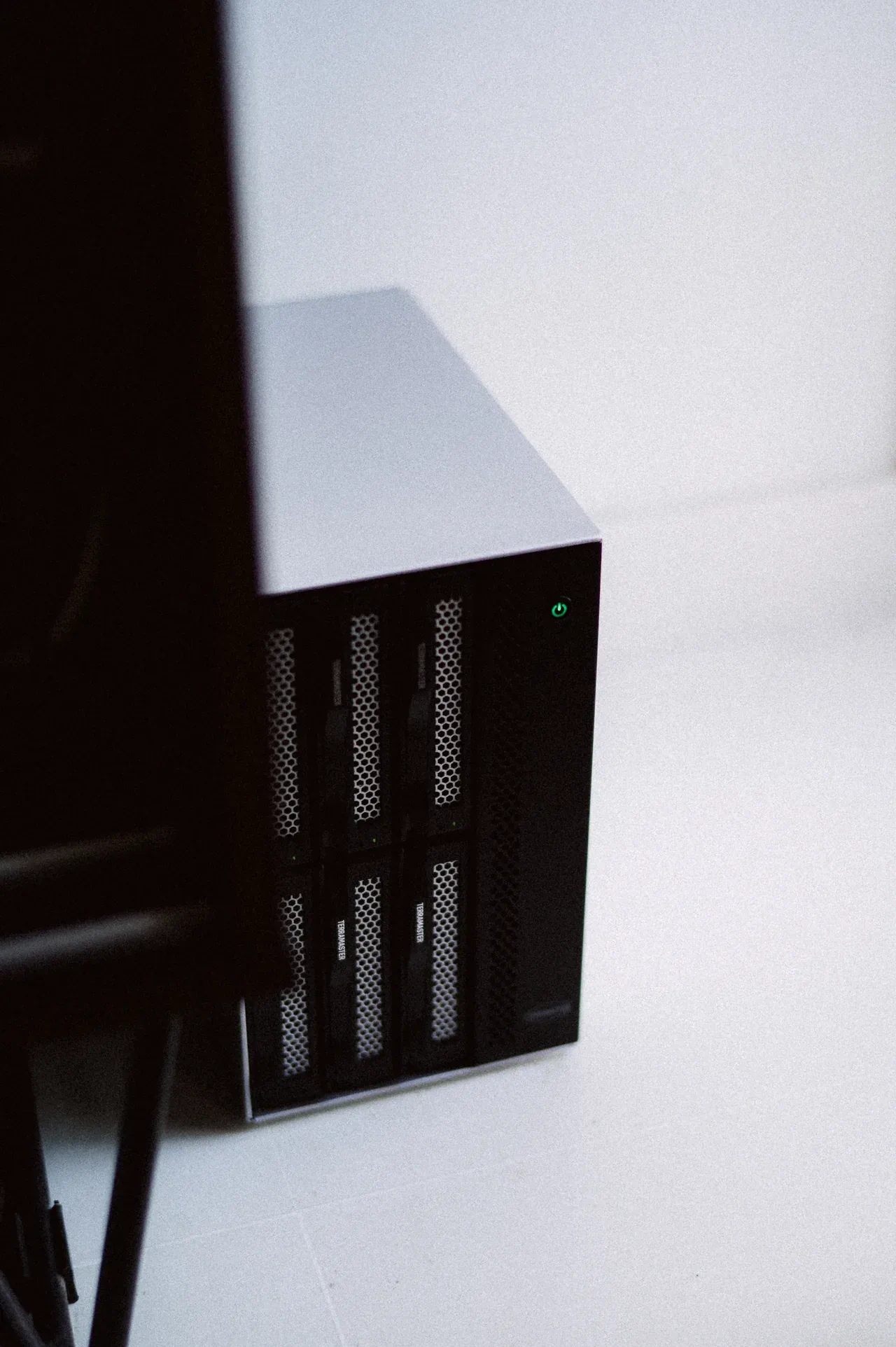
For now, the miniPC does most of the work, the Pi handles a few utility jobs, and the NAS carries most of the storage. It is enough hardware for the services I use and enough Kubernetes for me to keep learning.
In this article series
3 articles- 01 Building a homelab Kubernetes cluster Current
- 02 A self-tuning homelab
- 03 How I access the services I self-host in my cluster